
The Digital Closet: What It Is and Why It Changes How You Get Dressed
You know what’s in your closet. Sort of. You could probably name your favorite pieces — the jeans that fit perfectly, the blazer you always reach for. But what about the rest? The linen shirt you forgot about behind the coats. The scarf you bought on vacation and never wore. The three nearly identical white t-shirts you didn’t realize you had until right now.
The truth is, most of us don’t really know what we own. We know what we reach for. Everything else fades into background noise — hanging there, taking up space, invisible.
A digital closet changes that. It takes your entire wardrobe and makes it something you can actually see, browse, and work with — all from your phone. Not a vague memory of what’s in your dresser. A real, complete picture.
This guide explains what a digital closet is, what it actually does for your daily life, and how to decide if it’s worth building one.
What Is a Digital Closet?
A digital closet is a complete visual catalog of every piece of clothing you own, stored on your phone or computer. Each item is photographed, categorized, and organized so you can see your full wardrobe at a glance — without opening a single drawer.
It’s not the same as taking random photos of your clothes and saving them to your camera roll. A digital wardrobe is organized: tops with tops, shoes with shoes, everything tagged and searchable. Think of it as the difference between a box of loose photos and an album you can actually flip through.
Some people call it a virtual closet or an online closet organizer — the names vary, but the idea is the same. Your physical wardrobe, made visible and usable in a way a closet rod and shelves never will be.
What Changes When You Have One
The real question isn’t what a digital closet is — it’s what happens to your mornings, your shopping habits, and your relationship with your clothes once you have one.
You stop forgetting what you own
This is the most immediate change. When your entire wardrobe is on your phone, nothing hides. That chambray shirt buried behind winter coats? You’ll see it. Those black trousers you forgot you had? Right there.
Most people are genuinely surprised by what they rediscover. Things they would have bought again because they forgot they already owned them.
Getting dressed gets easier
Instead of standing in front of your closet half-awake, pulling things out and putting them back, you can browse your wardrobe from the couch the night before. Or on the train. Or while waiting for coffee.
You see everything at once, plan what works together, and wake up knowing exactly what you’re wearing. No negotiation, no “I have nothing to wear” spiral.
You notice your patterns
Once your wardrobe is laid out visually, patterns become obvious. You own nine navy tops and one pair of trousers that goes with anything. You have four blazers but no casual jacket. You keep buying the same silhouette in different colors.
These aren’t bad things to discover — they’re useful. They tell you what you’re drawn to, where you’re over-buying, and what’s actually missing. For a deeper look at why this shift matters, read about why a digital wardrobe changes everything.
You buy less (and better)
When you can pull up your entire wardrobe while standing in a store, impulse purchases drop. You can check: do I already have something like this? Does it work with what I own? Do I actually need it, or does it just look nice on a rack?
People who track their wardrobe digitally tend to buy fewer things — and feel better about the things they do buy.
You can plan outfits ahead of time
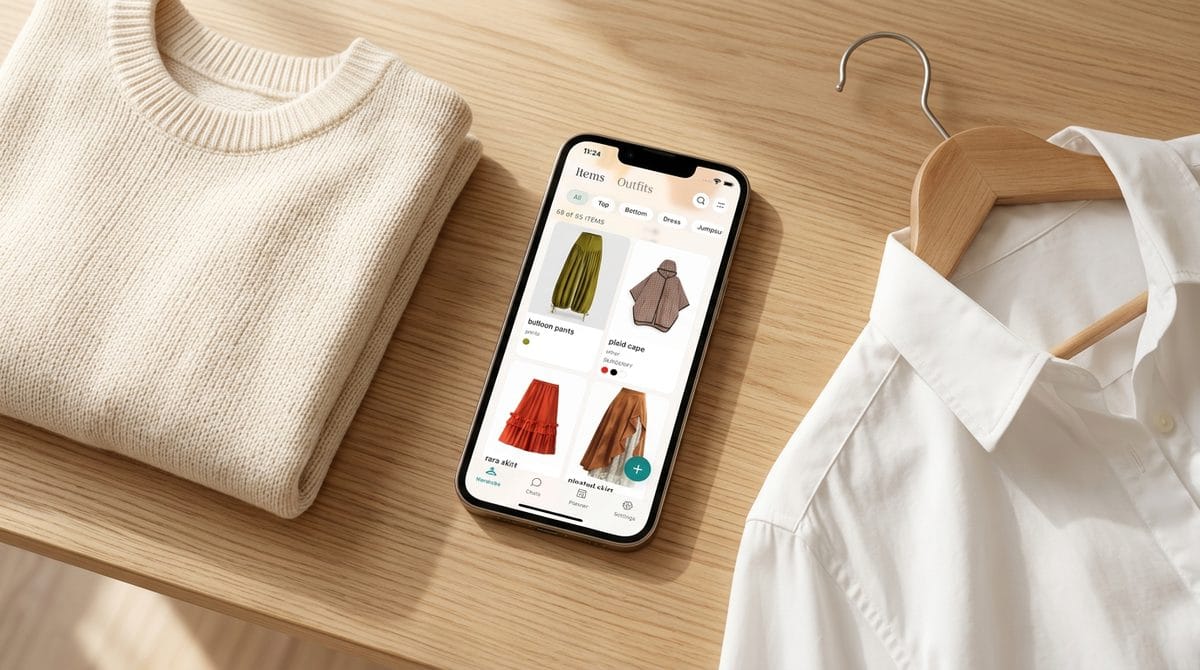
Some digital closet tools let you put together outfits by combining items from your catalog — dragging a top onto a bottom, adding shoes, saving the look. You can build outfits for the week in a few minutes, then just follow the plan each morning.
If you like the idea of pre-built outfit combinations, you’ll want to pair your digital closet with outfit formulas — repeatable combinations that take the guesswork out of getting dressed entirely.
How a Digital Closet Works
You’ll need a wardrobe app to get started — that’s where everything lives. Pick one, download it, and create your account first. (Not sure which one? We compare the main options later in this post.) Once you’re set up, the process has three parts.
Before you start: If your closet is cluttered, consider a closet cleanout first. Digitizing a curated wardrobe is faster and more useful than photographing everything including the pieces you never wear.
1. Capture
You photograph each item in your wardrobe directly into the app. Most people do this against a clean background — a white wall, a door, or a flat surface. Many apps can remove backgrounds automatically to give you a clean, consistent look.
This is the most time-consuming part, but it only happens once. After the initial setup, you just photograph new additions as they come in.
2. Organize
Each photo goes into a category: tops, bottoms, dresses, outerwear, shoes, accessories. Within those, you can tag items by color, season, occasion, or whatever makes sense for how you get dressed.
The goal is to make everything findable. When you’re looking for “something warm and casual for Saturday,” you should be able to narrow it down in seconds.
3. Use
This is where it gets interesting. Depending on the tool you choose, a digital closet can do much more than just store photos:
- Outfit building — combine pieces visually before you put them on
- Calendar planning — pin outfits to specific days so your week is planned in advance
- Wear tracking — see what you’ve worn recently so you don’t repeat the same thing every week
- Packing — build travel wardrobes from your catalog, optimized for the trip
- Wardrobe insights — see what you own by category, spot gaps, and understand your spending patterns
Not every tool does all of these. The section below will help you figure out what matters most to you.
For a full walkthrough of the process — from first photo to finished closet — we have a step-by-step guide to digitizing your closet.
If you’d rather have it all in one printable resource, we put together the Digital Closet Starter Kit — a short guide that covers photographing, categorizing, and organizing your wardrobe from scratch. Grab it here.
Choosing the Right Tool
Not all wardrobe apps are built the same way. Some are glorified photo albums — you upload pictures, you scroll through them. Others go much deeper: AI styling, outfit suggestions based on weather and calendar, wear history, even packing tools for travel.
The right choice depends on what you actually want from a digital closet.
If you just want to see what you own
A simple app with photo storage and categories will do. You get visibility into your wardrobe without a lot of complexity. Indyx is a solid option here — it makes cataloging straightforward and has a social angle where you can share your closet with friends or connect with a human stylist. Acloset is another clean, simple choice for basic outfit building and closet organization.
If you want help getting dressed
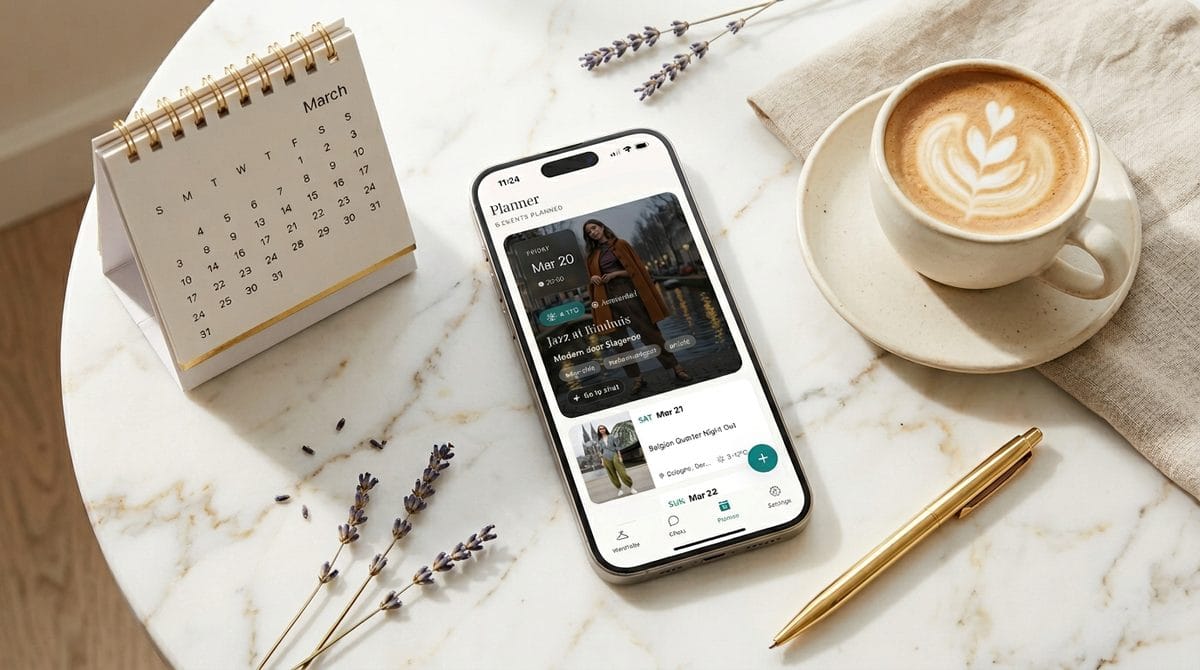
This is where things start to feel different. Some apps don’t just show you your clothes — they suggest what to wear. The best ones take into account what you’ve worn recently, what the weather looks like, and what you have on your calendar.
Magnolia takes this approach. Its AI stylist, Magui, learns what you own and how you like to dress, then builds outfit suggestions that are actually grounded in your real wardrobe — not generic style boards from the internet.
If you want to plan ahead
Look for an app with a visual planner — something that lets you pin outfits to specific days on a calendar. This is the feature that turns a digital closet from “nice to have” into a daily tool. You plan your week on Sunday and stop thinking about it until the weekend. Cladwell leans into this with daily outfit suggestions and a capsule wardrobe focus.
What to compare
When evaluating apps, ask yourself:
- Does it make uploading easy? If adding clothes is painful, you won’t finish.
- Can I build outfits? Photo storage alone isn’t enough.
- Does it learn from me? The best tools get better the more you use them.
- Does it help with real decisions? Weather, calendar, and wear history make suggestions actually useful.
For detailed comparisons, see how personal stylist apps compare. If you’re curious about the financial side, read about what your wardrobe is really costing you.
What Opens Up After
A digital closet isn’t the end point — it’s the starting point. Once you can see everything you own, a lot of things that used to feel hard become simple.
Capsule wardrobes become practical instead of theoretical. You can see exactly which 20 pieces cover the most combinations and pull them forward for the season.
Travel packing stops being stressful. You build a trip wardrobe from your catalog, check that everything mixes and matches, and pack with confidence instead of anxiety.
Seasonal transitions get smoother. At the start of a new season, you review what you have, note what’s missing, and make one or two intentional purchases — instead of panic-buying a whole new rotation.
And if you like the idea of repeatable, no-brainer outfits, you can pair your digital closet with outfit formulas — pre-built combinations that work every time, built from the actual clothes in your closet.
The cleanout was step one. The digital closet is step two. From here, your wardrobe starts working for you instead of the other way around.
Frequently Asked Questions
How long does it take to set up a digital closet?
It depends on how many clothes you have, but most people spend 2–4 hours on the initial photo session. You don’t need to do it all at once — a category per evening works well. After setup, adding new pieces takes seconds.
Do I need to photograph every single item?
Yes, for it to be truly useful. The whole point is seeing your complete wardrobe. If half your clothes aren’t in there, you’ll keep falling back on memory — which is what got you here in the first place.
What if I’m not good at taking photos?
You don’t need to be. A clean background, natural light, and a consistent angle are enough. Most wardrobe apps are designed to work with simple phone photos, not professional shoots.
Is this just for people with big wardrobes?
Not at all. A digital closet is actually more useful when you have fewer pieces — because each one needs to work harder. Seeing a smaller wardrobe visually helps you spot gaps and maximize combinations.
Can I share outfits or get feedback from friends?
Some apps support this, but it’s not the core value. The real benefit is personal clarity — knowing what you own and using it better. If sharing matters to you, check the app’s features before committing.